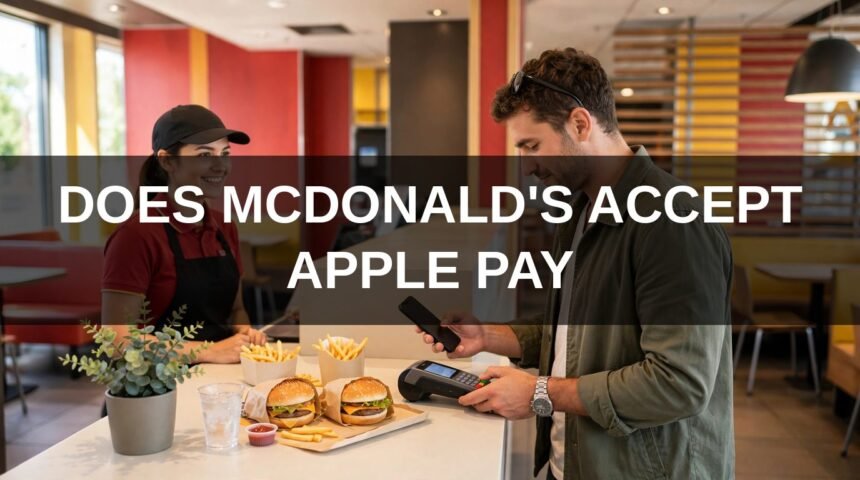
Yes, McDonald’s does accept Apple Pay. You can use it in the McDonald’s app, and at most restaurants you can also tap your iPhone or Apple Watch at the counter, in the drive-thru, and at the self-service kiosks. The one thing to know before you go is that the experience is not identical everywhere. The app is the part McDonald’s spells out clearly: if your card is in Apple Wallet, Apple Pay shows up as a payment option at checkout. In the restaurant itself, it comes down to the card reader in front of you, because most McDonald’s locations are run by independent franchise owners and McDonald’s does not publish a list of which payment types each restaurant takes.
That is the short answer. The rest of this article walks through exactly where Apple Pay works at McDonald’s, how to use it step by step on an iPhone and an Apple Watch, how to set it up before your first visit, what happens with delivery and rewards, and what to do on the rare occasion it does not work.
Does McDonald’s Accept Apple Pay?
McDonald’s has accepted Apple Pay since Apple Pay launched in October 2014, when McDonald’s was one of the retailers Apple named on launch day. More than a decade later, it is a normal way to pay there, and most regulars who use an iPhone never think twice about it.
Here is how it breaks down by ordering method:
| Where you order | Apple Pay accepted? | What to know |
|---|---|---|
| McDonald’s app (pickup) | Yes | Confirmed by McDonald’s; Apple Pay appears at checkout once your card is in Apple Wallet |
| McDonald’s app (McDelivery) | Yes | McDonald’s delivery page lists Apple Pay as a payment option |
| Front counter | Usually | Tap if the card reader shows the contactless symbol |
| Drive-thru | Usually | Same rule at the payment window; or order ahead in the app and pick up |
| Self-service kiosk | Usually | Works where the kiosk has a contactless payment terminal |
| McDonald’s website | Yes | Select Apple Pay at checkout |
The pattern is simple. Anything that goes through the app or the website is confirmed. Anything that goes through a physical card reader depends on that reader having contactless payments switched on. In practice, the great majority of US McDonald’s restaurants have modern readers with the contactless symbol on them, so most people will have no trouble at all. But because McDonald’s does not guarantee it at every single franchise, it is smart to keep a backup card in your pocket the first time you try it at a new location.
Using Apple Pay at the McDonald’s Counter
Paying at the counter is the most straightforward case. Order your food as normal, and when the cashier gives you the total, tell them you will be paying with Apple Pay. That one sentence saves confusion, because it prompts them to wake up the reader if it has gone to sleep.
Then hold your iPhone near the contactless reader. On an iPhone with Face ID, double-click the side button first, glance at the phone to authenticate, then hold the top of the phone near the reader. On an iPhone with Touch ID, rest your finger on the Home button and hold the phone near the reader. You will feel a small vibration and see a checkmark when the payment goes through, and the receipt prints as usual.
A couple of practical points make this smoother. First, make sure the card you want to use is actually the one selected in Apple Wallet before you hold the phone up. If you have several cards, Apple Pay defaults to the one you set as your default card, and switching mid-transaction at a busy counter is awkward. Second, if the reader does not respond, try moving the phone a little closer or holding it still for a second longer. Waving it around quickly is the most common reason a tap fails, at McDonald’s or anywhere else.
Using Apple Pay at the McDonald’s Drive-Thru
The drive-thru works the same way, with one difference: you are reaching out of a car window, so the timing matters a bit more. Place your order at the speaker, drive to the payment window, and let the employee know you plan to use Apple Pay. Then double-click the side button on your iPhone, authenticate with Face ID, and hold the phone near the reader at the window.
Most drive-thru windows now have a contactless reader within easy reach. If the reader is mounted awkwardly or you cannot quite reach it, just say so; the employee can usually reposition it or hand it to you. Some people find the drive-thru slightly less reliable than the counter, simply because readers at windows see more wear and the occasional connectivity hiccup. If it fails twice, do not keep retrying while a line builds up behind you. Pay with a card and sort it out later.
There is also a cleaner way to handle the drive-thru entirely. Order ahead in the McDonald’s app, pay with Apple Pay at checkout inside the app, choose Drive Thru as your pickup method, and you will get a code to read out at the window. You never touch a reader at all, and your food is usually ready by the time you arrive. This is the most reliable way to use Apple Pay for a drive-thru order, because the payment happens in the app, where Apple Pay is confirmed to work.
Using Apple Pay at the Self-Service Kiosks
If your McDonald’s has self-service kiosks, Apple Pay works there too, as long as the kiosk has a contactless payment terminal. The flow is the same as the counter: build your order on the screen, choose to pay at the kiosk, and when the payment screen appears, hold your iPhone or Apple Watch near the reader.
Kiosks are actually one of the best places to use Apple Pay, because there is no cashier to coordinate with and no rush from a queue behind you in the same way. You can take your time, check the total, and tap when you are ready. The same caveat applies though: if the kiosk’s reader does not show the contactless symbol, Apple Pay is not an option at that machine, and you can pay by card or take your order number to the counter instead.
How to Pay with Apple Pay in the McDonald’s App
The app is where Apple Pay at McDonald’s is most dependable, because McDonald’s itself confirms it. Here is the process:
- Open the McDonald’s app and build your order.
- At checkout, choose your pickup method: curbside, front counter, table service, or drive-thru.
- On the payment screen, select Apple Pay. It appears automatically if you have a card saved in Apple Wallet.
- Confirm the payment with Face ID, Touch ID, or your passcode.
- Collect your order using the pickup method you chose.
One detail worth knowing: McDonald’s charges you when you place the order in the app, not when you pick it up. So if you choose drive-thru pickup, you will be given a code to read out at the window, but no payment happens there. Your food is paid for before you arrive.
If Apple Pay does not appear in the app, the usual cause is that no card is saved in Apple Wallet yet, or the card you saved is not supported by Apple Pay. Add a card in the Wallet app first, then reopen the McDonald’s app and check again. It is also worth making sure both the McDonald’s app and your iPhone software are up to date, since payment options can behave oddly on very old app versions.
How to Set Up Apple Pay Before You Go
If you have never used Apple Pay, setting it up takes about two minutes and saves you fumbling at the counter later.
On your iPhone, open the Wallet app and tap the plus button. From there you can add a debit or credit card by pointing the camera at it or typing the details in by hand. Your bank will verify the card, usually with a text message code, and then it is ready. You can add more than one card, and you can choose which one is the default. Most banks that issue Visa, Mastercard, or American Express cards support Apple Pay, and there is no fee from Apple for using it.
Once the card is in Wallet, it is worth doing a quick test somewhere low-pressure, like a grocery store, before relying on it at a busy drive-thru. That way you know your default card, your authentication, and your muscle memory all work before you are holding up a lunch queue.
Does McDonald’s Accept Apple Pay for Delivery?
Yes, for McDelivery ordered through the McDonald’s app, Apple Pay is listed as a payment option, alongside Google Pay. You place the order and pay inside the app, and a courier brings it to you. This is the one part of the delivery picture that is confirmed in McDonald’s own words.
Two things to keep in mind. First, an Arch Card (McDonald’s gift card) balance cannot be used for delivery, so if you were planning to pay with gift card credit, delivery is not the route for that. Second, delivery ordered through a third-party app, such as Uber Eats or DoorDash, follows that app’s payment rules rather than McDonald’s. Apple Pay generally works inside those apps too, but you are paying the delivery service, not McDonald’s directly, so the experience can differ slightly.
Apple Pay and McDonald’s Rewards
A common question is whether you can still earn McDonald’s rewards when you pay with Apple Pay. The answer is yes, but the two things are separate. Apple Pay is just how the money moves. Rewards live in the McDonald’s app under the MyMcDonald’s Rewards program.
In practice, that means the easiest setup is to order through the app, where your rewards account and Apple Pay sit side by side. You earn and redeem points in the app, and Apple Pay handles the payment at checkout. If you are paying at the counter or in the drive-thru with Apple Pay instead, scan your rewards code in the app before you tap to pay, or give the cashier your rewards code, so the visit still counts toward your points. Apple Pay on its own does not track rewards, and you cannot add your McDonald’s rewards card directly to Apple Wallet.
What to Do If Apple Pay Doesn’t Work at McDonald’s
It is rare, but it happens. Here are the usual causes, in the order to check them:
The reader does not have contactless switched on. Look for the contactless symbol, four curved lines, on the reader. If it is not there, or the reader is an older model, Apple Pay simply is not available at that till. Pay by card or cash.
Your card is not in Apple Wallet. This sounds obvious, but it is the most common cause in the app, where Apple Pay only appears if a card is saved. Open Wallet, check the card is there, and make sure it is not showing an error.
The wrong card is selected. If the payment goes to a card you did not intend, or a card that has expired, it can decline. Open Wallet, select the right card, and try again.
A temporary connection problem. Card readers occasionally lose their connection, especially at drive-thru windows. If the reader is unresponsive for everything, not just Apple Pay, the problem is on the store’s side. Pay another way and try again next visit.
Your bank has blocked the transaction. Banks sometimes flag an unusual purchase, though this is uncommon for a fast-food payment. If Apple Pay declines and your card works fine when inserted, check with your bank.
The practical takeaway is to carry a backup payment method the first few times you use Apple Pay at a new McDonald’s. Once you know a particular location works, you can stop worrying about it.
Other Ways to Pay at McDonald’s
Apple Pay is convenient, but it is far from the only option. McDonald’s accepts cash, debit and credit cards, Google Pay, and payment through its own app. Gift cards, known as Arch Cards, are also accepted in restaurants. Here is a quick comparison:
| Payment method | Counter | Drive-thru | Kiosk | App |
|---|---|---|---|---|
| Apple Pay | Usually | Usually | Usually | Yes |
| Google Pay | Usually | Usually | Usually | Yes |
| Debit or credit card | Yes | Yes | Yes | Yes |
| Cash | Yes | Yes | No | No |
| Arch Card (gift card) | Yes | Yes | Yes | Yes, except delivery |
| McDonald’s app order | Yes | Yes | Yes | Yes |
If you do not use an iPhone, Google Pay is the closest equivalent on Android, and it works at the same contactless readers. And if you simply want the smoothest experience of all, ordering ahead in the app and paying there removes the reader from the equation entirely.
The Bottom Line on Apple Pay at McDonald’s
So, does McDonald’s accept Apple Pay? Yes. The app is the safest bet, with Apple Pay confirmed by McDonald’s itself for pickup and delivery orders. At the counter, drive-thru, and kiosks, Apple Pay works at most locations, wherever the card reader shows the contactless symbol. The only real exception is the occasional franchise location with an older reader, or a reader having a bad day.
For most people, the best routine is simple: set up Apple Pay in Wallet once, use the McDonald’s app to order ahead and pay, and pick up your food without touching a reader. And if you do pay in person, a quick glance at the reader for the contactless symbol tells you everything you need to know before you hold your phone up.
FAQs
Does McDonald’s accept Apple Pay in the drive-thru?
Yes, at most locations. The drive-thru payment windows are fitted with contactless readers that accept Apple Pay. Tell the employee you are paying with Apple Pay, double-click the side button on your iPhone, authenticate, and hold it near the reader. Because some franchise locations differ, it is worth confirming with the employee if it is your first time at that restaurant. Ordering ahead in the app and paying with Apple Pay there is the most reliable drive-thru option.
Can I use Apple Pay on the McDonald’s app?
Yes. McDonald’s says Apple Pay appears as a payment option in the app automatically once your card is saved in Apple Wallet. It works for Mobile Order and Pay pickup orders and for McDelivery ordered inside the app. McDonald’s charges you when you place the order, and you collect it using the pickup method you selected.
Does McDonald’s accept Apple Pay at the kiosk?
Yes, where the kiosk has a contactless payment terminal. Build your order on the screen, choose to pay at the kiosk, and tap your iPhone or Apple Watch on the reader. If the reader does not show the contactless symbol, pay by card or take your order to the counter.
Is there a fee for using Apple Pay at McDonald’s?
No. Apple does not charge a fee for Apple Pay transactions, and McDonald’s does not add a surcharge for paying with it. You pay exactly the menu price, the same as you would with a card.
Can I use Apple Cash at McDonald’s?
Yes, if you have Apple Cash in your Apple Wallet, you can use it to pay anywhere Apple Pay is accepted, including McDonald’s. It works the same way as paying with a card through Apple Pay.
Does McDonald’s accept Apple Pay outside the US?
Acceptance varies by country. Apple Pay is supported at McDonald’s in many countries where Apple Pay itself is available, but local payment systems differ, and some countries rely more on their own mobile wallets. The guidance in this article is for the US; when travelling, look for the contactless symbol on the reader or check the local McDonald’s app.
Can I get cashback using Apple Pay at McDonald’s?
That depends on your card, not on McDonald’s. If the card you have saved in Apple Wallet earns cashback or rewards, you earn them as normal when you pay with Apple Pay, because the underlying card is what is charged. The Apple Card, for example, earns Daily Cash on purchases. McDonald’s rewards points are separate and are earned through the McDonald’s app.
Conclusion
McDonald’s does accept Apple Pay, in the app, at the counter, in the drive-thru, and at the kiosks, with the app being the one place it is confirmed outright. For the fastest, most reliable experience, order ahead in the McDonald’s app, pay with Apple Pay at checkout, and pick up your food with a code. If you prefer to pay in person, just check for the contactless symbol on the reader and keep a backup card handy the first time you visit a new location. Either way, you can leave your wallet at home and pay with your phone.
Read Also: Escobar’s Vapes: Meaning, Products and How to Find Them